
Keep the server running
Support covers the public server and the scrapers behind it.
Pay with crypto instead
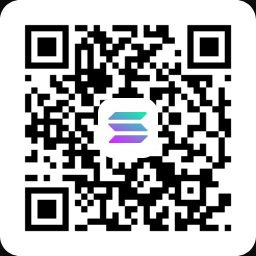
Tap an address to select it, or scan the QR code from a wallet app.


Sports
All enabled by default. Turn off anything you do not follow.
Stream sources
Fewer sources means faster, more predictable results.
Personalization
Used to order fixtures and label kick-off times for you.
Kick-off times are displayed in this timezone.
Comma separated. These fixtures are surfaced first.
Comma separated. Names or ISO codes both work, for example Spanish or es. English is always shown first.
Which languages appear on streams?
These are the commentary languages the providers actually serve. English is not listed because it is always shown first.
- Loading…
Other languages can still be typed and will be matched, but they are unlikely to appear on any stream.
All replays keeps every fixture the providers list. Mainstream only hides the ones nobody outside the local region follows.
What counts as mainstream?
Shown (mainstream)
- Premier League
- La Liga
- Serie A
- Bundesliga
- Champions League
- NBA
- NFL
- MLB
- NHL
- Formula 1
- UFC
- Wimbledon
Hidden (not mainstream)
- La Liga 2
- Serie B
- 2. Bundesliga
- League One / Two
- Regional & county leagues
- U-20 / U-21 / youth
- Reserve & B teams
- Minor league (AHL, G League)
Judged from the match name and competition, not from a fixed list. Famous clubs and the major US leagues are always kept, and a lower-division or youth fixture is hidden even when a big club is named in it (e.g. a reserve side like “Real Madrid Castilla”).
Nuvio Sports Replay Connection
Adds a landscape Sports Replays row to your Nuvio home screen, with organised replay rows for four sports. Nothing else to install.
- Football
- Motorsport
- Baseball
- Rugby
Nuvio imports collections as JSON text, not a URL. Use Copy JSON and paste it into the app, or Download JSON file and open it if you prefer. The URL below is only a fetch link — open it to copy the raw JSON.
- Choose Copy JSON (or download the file).
- In the Nuvio app open Settings, then Collections, then Import Collection.
- Paste the JSON.
Open this in a browser to copy the raw JSON if the buttons are blocked.
Install add-on
Your link updates automatically as you change the options above.
Select and copy this manually if the button does nothing.